
The best games for the R36S are the ones that actually run well on real hardware, not just the ones people keep repeating in generic retro lists. I tested the kinds of games people actually load first, PS1 staples, ambitious N64 titles, long-form RPGs, and quick handheld-friendly classics, and the pattern is clear: this device shines when you play to its strengths.
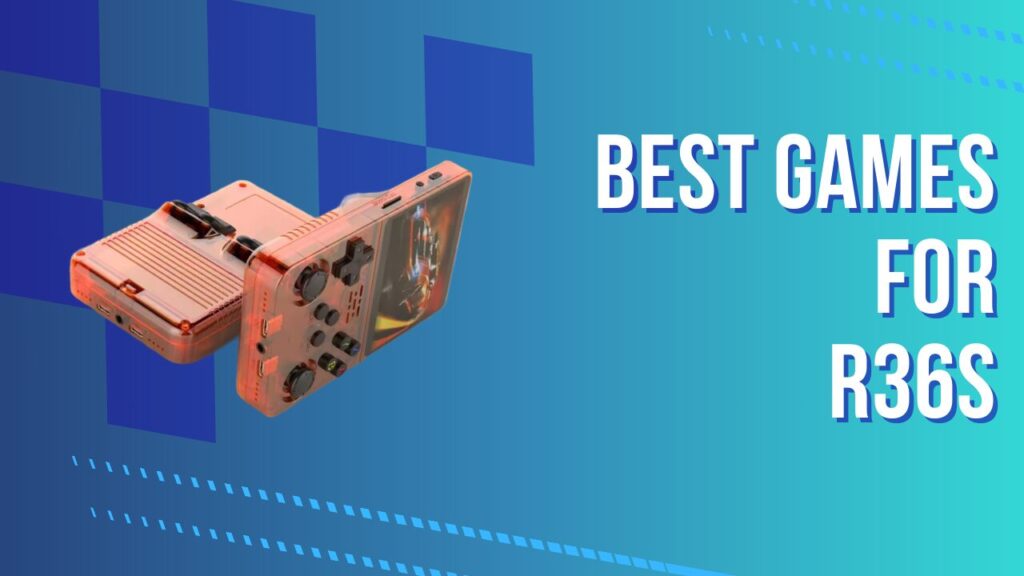
The R36S is a budget retro handheld built around the RK3326, and that matters because the chip defines the line between smooth nostalgia and fiddly disappointment. It cruises through 8-bit, 16-bit, GBA, and most PS1 libraries, then starts asking for compromise once you lean into N64, PSP, and heavier 3D workloads. That balance is exactly why this article exists. For a full breakdown of the hardware before diving into game lists, the complete R36S hardware review and benchmark covers every spec in detail.
KEY TAKEAWAYS
- The R36S is at its best with PS1, GBA, SNES, Genesis, and other low-friction retro systems.
- PS1 is the sweet spot, because the library is huge and performance is reliably strong with the right core.
- N64 is playable, but it rewards selective game choice and a few smart settings changes.
- PortMaster can be the better route for games like Ocarina of Time, because native ports cut out some emulation overhead.
- The stock SD card is the weakest part of the whole experience, and replacing it early saves a lot of headaches.
- File formats, core selection, and sane ROM curation matter more on the R36S than people expect.
One thing needs saying early, because it affects everything else on this list: the stock SD card is often the reason people think the R36S is worse than it is. Save corruption, missing settings, and random boot weirdness are not rare edge cases here. In my experience, the most misleading moment happens when the system stalls on a boot after adding games, because it looks like the device has locked up when it is really choking on a weak card and rebuilding metadata. Before loading a single ROM, replacing it is the smartest move you can make. The guide covering which MicroSD cards are worth using for the R36S, including speed class and capacity recommendations, saves a lot of trial and error.
How the R36S Handles Each System
The R36S emulation performance follows a clear hierarchy, and knowing it upfront prevents frustration.
| System | Performance Level | Notes |
|---|---|---|
| NES / SNES / GBA / Genesis | Excellent | No tweaks needed |
| Game Boy / Game Boy Color | Excellent | Flawless across the full library |
| PS1 | Very strong | Best balance of depth and smooth performance |
| N64 | Mixed but worthwhile | Needs core tuning and selective game choice |
| PSP | Mixed | Lighter titles do better than cinematic heavyweights |
| Dreamcast | Selective | Stick to lighter games and lower expectations |
The EmulationStation frontend, which is part of the ArkOS custom firmware, keeps system navigation simple and handles the library side of the experience well. The friction starts when a user assumes every game under a system banner will behave the same, because on the R36S the front-end looks uniform while the performance underneath absolutely is not. That is why core assignments, BIOS placement, and a few system-specific settings matter more than they do on stronger handhelds.
Best PS1 Games for the R36S
PS1 emulation is the headline reason to buy an R36S, because this is where the hardware stops feeling like a compromise and starts feeling like a great deal. PCSX-ReARMed gives the handheld access to a massive library of games that look good on the screen, load quickly when set up properly, and fit portable play far better than many modern releases do.
RPGs and Story-Driven PS1 Titles
Castlevania: Symphony of the Night is the first PS1 game I would load on any R36S, because it looks crisp, responds instantly, and still feels designed for handheld play even though it never was. Final Fantasy VII, VIII, and IX are all natural fits for the device, and so are Chrono Cross, Vagrant Story, Xenogears, Parasite Eve, Valkyrie Profile, and Suikoden II. These are the games that make the R36S feel bigger than its price tag.
PS1 libraries also get messy fast if you ignore file formats. Mixed .bin and .cue sets can create duplicate entries in EmulationStation, confuse scraping, and turn a clean library into a swamp of repeated disc names. I have had the menu look perfectly fine one minute, then show two or three copies of the same game after a scrape pass, simply because the source files were inconsistent. Storing multi-disc games as .CHD files, or bundling compatible titles into .PBP where it makes sense, keeps the library cleaner and makes scrolling less annoying.
Long-form RPGs expose another practical difference between a decent setup and a sloppy one, because they punish unstable storage more than short arcade sessions do. A 30-hour save file is a terrible place to discover that the bundled card was a bad idea. My rule is simple: if a game asks for emotional investment, it deserves a branded card and a backup routine. The guide covering step-by-step ROM loading, folder structure, and BIOS placement is worth following before you start building a serious PS1 collection.
Action and Platformer PS1 Titles
Action games prove whether the R36S feels sharp in the hands, and PS1 is where it passes that test. Crash Bandicoot 1, 2, and Warped all play well, Tony Hawk’s Pro Skater 2 feels right at home in short sessions, and Metal Gear Solid remains one of the best examples of a cinematic game that still works brilliantly on a small screen. Tekken 3, Ridge Racer Type 4, Gran Turismo 2, Ape Escape, and Spyro the Dragon round out a lineup that is easy to recommend without caveats.
Ape Escape deserves a specific mention because the dual-stick layout actually matters here. Cheap retro handhelds often claim broad compatibility, then quietly make certain games irritating because the controls feel like an afterthought. The R36S does better than expected, although I still find it worth checking analog sensitivity if movement feels twitchy out of the gate. That tiny bit of setup can be the difference between a game feeling playable and feeling subtly wrong for hours.
Best N64 Games for the R36S
N64 emulation is where the R36S stops being plug-and-play and starts rewarding patience. The handheld can run a good chunk of the library, but the experience depends on core choice, settings discipline, and a willingness to accept that some famous games are better through ports than through standard ROM emulation.
N64 Titles That Run Well
Super Mario 64 is the baseline test, and it runs well enough to give the whole system credibility. Mario Kart 64, Diddy Kong Racing, Star Fox 64, Wave Race 64, and Pokémon Snap are all sensible picks because they deliver the N64 feel without leaning too hard on the hardware. Banjo-Kazooie is usually playable with the right plugin and sane expectations, and Ocarina of Time can be enjoyed if you tolerate the occasional hitch in busy areas.
The biggest trap with N64 on the R36S is assuming one successful boot means your settings are locked in. They often are not. In my experience, people enable dynarec once, launch a game, feel pleased, then come back later after a reboot and wonder why performance has fallen off a cliff. The missing step is usually saving the correct override or core option, which means the emulator quietly forgets the fix you thought you had already made. That is the kind of tiny friction that makes the device feel random until you know where to look.
Analog tuning matters more here than it does on older systems. GoldenEye 007 and other stick-heavy games can feel floaty if the deadzone is off, even when the frame rate is acceptable. A lot of “this runs badly” complaints are really two problems layered together, modest performance plus poor analog feel, and the combination makes a playable game feel worse than it is.
When N64 Struggles: Use PortMaster Instead
PortMaster is one of the most useful reasons to move beyond the stock experience, because it changes the question from “Can this emulator brute-force the game?” to “Is there a better native way to play it?” That shift matters a lot on RK3326 hardware, where cutting overhead often does more than chasing one more emulator tweak.
Ship of Harkinian is the obvious example. Ocarina of Time through standard N64 emulation can be playable, but it still carries the stutters and inconsistency you would expect from borderline hardware. The PortMaster route feels cleaner because it removes part of the emulation burden and gives the handheld a more direct job to do. I have found that this is the moment many R36S owners stop treating the device like a budget curiosity and start treating it like a genuinely flexible tinkering platform.
The catch is that PortMaster is only smoother after you get through the setup friction. Folder names, port files, and dependency placement need to be correct, and a single wrong file path can leave you staring at a black screen with no useful explanation. First-time users often think the port itself is broken when the real issue is incomplete assets or the wrong directory structure. The complete ArkOS setup, PortMaster installation, and firmware builds guide is the best place to get that part right the first time.
Super Mario 64 is another title that benefits from the native route. Through PortMaster, it feels cleaner and more responsive than it does through a borderline N64 setup, and that is exactly the kind of trade-off that makes sense on this handheld. Purists can argue about original delivery method. I would rather play the game smoothly.
Best GBA Games for the R36S
GBA is the easiest recommendation on the entire device, because it combines low setup friction with an absurdly strong library. The R36S runs GBA beautifully, save states are practical, and the games themselves suit short sessions, long travel days, and half-hour evening play equally well.
The essentials are easy to name and hard to outgrow: Pokémon FireRed, Emerald, and the Emerald Seaglass ROM hack, Mother 3 with the English patch, Castlevania: Aria of Sorrow, Metroid Fusion, Metroid Zero Mission, The Minish Cap, Final Fantasy VI Advance, Advance Wars 1 and 2, Golden Sun, Fire Emblem, and Tactics Ogre: The Knight of Lodis. This is the system I would prioritize first if I were setting up an R36S for daily use.
ROM hacks are worth mentioning here because the R36S is a perfect machine for replaying familiar games in refreshed form. Pokémon Emerald Seaglass is a good example, because it scratches the nostalgia itch while still giving you something new to chew on. That kind of remix works especially well on a handheld that is already built around convenience and comfort rather than strict museum-style authenticity.
Best SNES Games for the R36S
SNES is where the R36S feels effortless. Chrono Trigger, Super Metroid, A Link to the Past, Final Fantasy VI, Donkey Kong Country, Mega Man X, EarthBound, Secret of Mana, Super Mario World, and Street Fighter II Turbo all run exactly the way you want them to.
The value of SNES on this device is not just performance, it is reliability. You do not spend your evening checking overlays, changing render settings, or wondering if a boss fight is going to tank the frame rate. You just play. That sounds basic, but on a budget handheld it is one of the nicest luxuries available.
R36S Strategy Games and Best RPG Picks
Strategy games and RPGs are the natural home turf for the R36S, because they pair long playtime with forgiving session design. You can suspend a turn-based battle, drop a save state before a dungeon, or chip away at a campaign in fifteen-minute bursts without feeling like the device is working against you.
The strongest strategy picks include Advance Wars 1 and 2, Fire Emblem, Final Fantasy Tactics Advance, Tactics Ogre: The Knight of Lodis, Final Fantasy Tactics on PS1, and Vandal Hearts. For RPGs, the best value comes from mixing PS1 heavyweights like Xenogears, Suikoden II, and Parasite Eve with GBA standouts like Mother 3 and Golden Sun. If you want discovery beyond the obvious names, community-curated resources like the /v/’s Recommended Games Wiki and Retro Sanctuary are useful for finding oddball gems that fit portable play especially well.
Can the R36S Play GTA?
Yes, the R36S can play GTA, but the route matters. You are not buying this device for PS2 emulation, so the realistic choices are native ports through PortMaster or lighter versions through other supported systems.
GTA III and Vice City through PortMaster are the more interesting option, because they prove how far the device can stretch when it is not trapped inside an emulator for every workload. The performance is not magically high-end, but it is playable enough to enjoy the structure of those games on a tiny device. The hidden annoyance is controls and text scaling, because what feels acceptable in a short novelty test can become tiring in longer sessions. I usually treat GTA on the R36S as a fun technical bonus rather than the main reason to pick up the handheld.
How to Add More Games to Your R36S
Adding games to the R36S is easy in theory and messy in practice if you dump everything onto the card without a plan. The device expects a proper folder structure, the right BIOS files for certain systems, and enough storage stability that the library does not rebuild itself into chaos every other boot. The step-by-step ROM loading, folder structure, and BIOS placement guide handles the process clearly.
The real quality-of-life improvement is curation. Loading 5,000 random ROMs sounds exciting until EmulationStation takes forever to scrape, duplicate entries start appearing, and your menu becomes impossible to browse on a small screen. I get better mileage from a tight, intentional list of maybe 30 to 50 games per major system, especially on a handheld designed for quick access. The first-boot process and EmulationStation initial configuration guide helps clean up that front-end experience before it turns into a cluttered museum shelf.
Optimization Tips for Better Performance
A handful of changes do most of the heavy lifting on the R36S. The every performance tweak, overclocking option, and frame-rate fix guide digs into the full stack, but the biggest wins are straightforward.
- Enable dynarec in Mupen64Plus-Next, then save the setting so it actually persists.
- Use resolution downscaling for demanding N64 games that are almost playable but not quite.
- Keep PS1 libraries in .CHD or clean .PBP formats to reduce clutter and improve library handling.
- Replace the stock SD card before investing time in saves, scraping, or firmware changes.
- Use the right RetroArch core for the right system instead of forcing one setup across everything.
The full RetroArch core configuration and per-system settings guide is worth following if you want a cleaner baseline. Once the system is configured properly, most of the day-to-day frustration disappears and the R36S starts acting like a much more expensive device.
Common R36S Problems and Fast Fixes
| Problem | Likely Cause | Fast Fix |
|---|---|---|
| N64 game was smooth yesterday, now it stutters | Dynarec or core override did not persist | Re-enable dynarec, save the override, then relaunch |
| PS1 library shows duplicate entries | Mixed .bin/.cue sets or messy multi-disc imports | Convert to .CHD or clean up the cue structure |
| Save states disappear or settings reset | Weak stock SD card or file system instability | Move to a branded card and copy the setup cleanly |
| PortMaster game boots to black screen | Wrong asset location or incomplete files | Recheck folder names, dependencies, and install steps |
| EmulationStation feels slow after adding games | Oversized library, poor scrape data, weak card | Trim the library, rebuild metadata, use a better card |
| Analog aiming feels off in N64 shooters | Deadzone or sensitivity is poorly matched | Adjust stick settings before judging performance |
The best optimization advice is to avoid solving five problems at once. Change one setting, test one game, and save the result when it works. In my experience, most “the R36S is inconsistent” complaints come from stacked variables, not from the hardware being mysteriously moody.
Best Games R36S: Final Picks by System
The best games for the R36S are the ones that line up with what the hardware actually does well. PS1 gives you the deepest premium-feeling library, GBA gives you the smoothest zero-fuss experience, SNES gives you reliability, and N64 gives you a good side quest if you enjoy a bit of tuning and know when to switch to PortMaster instead.
If I were loading one R36S for myself, I would build around Castlevania: Symphony of the Night, Suikoden II, Tekken 3, Mother 3, Advance Wars, Metroid Fusion, Chrono Trigger, Super Mario 64, Mario Kart 64, and a couple of native ports for the heavier jobs. That mix captures the real magic of the handheld. The best games R36S owners should start with are not just famous retro titles, they are the games that respect the strengths of the device and avoid its weakest edges.
