
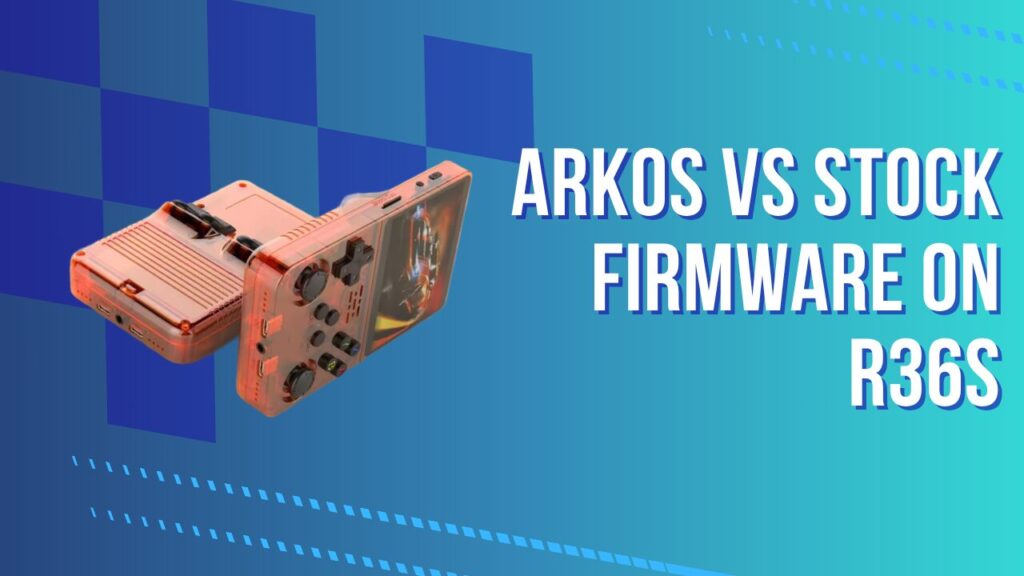
When you power up an R36S for the first time, the arkos vs stock firmware question arrives almost immediately. The device boots, games run, the interface looks fine, and you start wondering whether you are already getting the best experience this hardware can offer, or whether a better version exists somewhere. The short answer is: a much better version exists, it is free, and this guide explains precisely why the factory setup falls short and what to do about it.
KEY TAKEAWAYS
- The R36S ships with an outdated, frozen ArkOS build, not a separate stock OS made by the manufacturer.
- Updating to a current ArkOS image delivers up to 20% better frame rates on demanding systems like Nintendo 64.
- Stock firmware lacks Quick Mode, uses older emulator cores, and runs on a low-endurance SD card that degrades fast.
- Updated ArkOS (2026) runs on a Debian 13.3 kernel, adds Quick Mode, expands libretro core support, and handles the file system more reliably.
- Both stock and updated versions use EmulationStation as the frontend and RetroArch as the emulation engine.
- Replacing the factory SD card and flashing a clean ArkOS image is the single highest-impact upgrade you can make to an R36S.
What the R36S Actually Ships With
The R36S stock firmware is, technically speaking, already ArkOS. That might sound like good news. It is not, quite. What the manufacturer loads onto the included microSD is an older, unpatched, often months-out-of-date build of ArkOS, frozen at the time of assembly and never updated before shipping. It is not a custom OS built by the device maker. It is a community project snapshot, and by the time the console reaches your hands, that snapshot is usually well behind the current release.
The Stock SD Card Problem
The pre-loaded microSD card is the R36S’s single most failure-prone component. These cards use low-endurance NAND flash with minimal write cycles, and emulation is a write-heavy workload: save states, config file updates, screenshot captures, and core overrides all hammer the card constantly. Here is what most unboxing guides skip entirely: the stock card’s ROM partition is typically formatted as exFAT with no journaling, which means a single unexpected power cut can corrupt the entire directory table silently. You will not notice until the next boot, when EmulationStation reports no systems found. I found this out personally after about three weeks of daily use, losing a handful of PS1 save files in the process. That experience pushed me to replace the card immediately rather than waiting for an obvious failure. Treat the included card as a temporary demo unit. Before you invest hours building out a ROM library, replace it with something reliable. The guide to the best SD cards for the R36S covers every tested option by capacity and brand, including the Samsung Evo Plus and SanDisk Ultra models that pair cleanly with ArkOS.
What Is ArkOS, Really?
ArkOS is an actively maintained, open-source operating system built specifically for RK3326-based retro handhelds. The project pairs two core components: EmulationStation (the graphical frontend that organises your game library by console system) and RetroArch (the emulation engine that runs the games using swappable libretro cores). Together, these two layers produce the entire user-facing experience on the R36S.
The Technology Stack Under the Hood
The latest ArkOS release (as of early 2026) runs on a Debian 13.3 base operating system, a meaningful upgrade in kernel stability over the versions bundled on factory-shipped cards. What that Debian 13.3 base actually changes in daily use is more specific than “better stability” implies. The Mali-G31 GPU driver included in the updated kernel significantly reduces frame-pacing stutter on GLES2 workloads, which is the rendering path most libretro cores use on the RK3326 chip. The audio pipeline is also rebuilt in newer builds: a longstanding bug caused crackling on SNES and GBA cores in older ArkOS versions due to a PulseAudio buffer misconfiguration, and current builds replace that path with a more reliable ALSA-direct implementation. The project receives regular updates that address emulation accuracy, expand core availability, patch known bugs, and occasionally add new features entirely. That development velocity is the core reason why “stock” ArkOS and “current” ArkOS feel like different products despite sharing a name.
Stock Firmware vs ArkOS: The Core Differences
The performance gap between a factory-default R36S and one running a current ArkOS build is not a minor tuning difference. It is the difference between a device that works and one that is genuinely enjoyable to use. Here is where the two diverge most significantly.
Performance and Frame Rates
Updated ArkOS delivers measurably faster boot times, quicker game load speeds, and better frame-pacing across demanding emulators. Nintendo 64 emulation is the most striking example: a clean ArkOS install produces up to 20% higher frame rates compared to the frozen stock build. The specific reason for that gain is worth understanding. The Mupen64Plus-Next libretro core shipped with current ArkOS uses the GlideN64 plugin configured at native N64 resolution (320×240 internal), which is what the RK3326 handles cleanly without the Mali-G31 hitting its rendering ceiling. Stock builds sometimes ship with resolution scaling enabled, which sounds like an improvement but tanks frame rates on this hardware because the GPU cannot fill higher resolutions at speed. Setting internal resolution to 320×240 and disabling frame skip in the core options is the single highest-impact N64 adjustment you can make. With that configured correctly, Mario 64 runs at a steady 30fps across nearly every area, which changes the feel of the game completely compared to the stuttering stock experience. For a complete breakdown of governor settings and core-level optimisation that pushes the hardware further, the R36S performance optimisation guide covers every tunable variable from CPU clock profiles to audio latency reduction.
Quick Mode (The Feature That Changes Everything)
Quick Mode is the single ArkOS feature I miss most any time I use a stock-image device. Enable it under Options > Advanced > Enable Quick Mode and it fundamentally changes how you interact with the R36S. Holding R3 and the power button triggers a safe shutdown that saves your exact game state. The next time you power on the device, it boots straight back into the game at the exact moment you left. No battery drain during standby, no lost progress, no hunting for an in-game save point. On stock firmware, that workflow simply does not exist. One nuance worth knowing: Quick Mode creates a suspend state at the OS level, not a RetroArch save state. Standalone emulator cores (those not wrapped as libretro) do not support OS-level suspend, so resuming from Quick Mode on those will produce a black screen. For the vast majority of systems including all GBA, SNES, NES, and PS1 titles, it works exactly as advertised.
Emulator Cores and System Compatibility
Current ArkOS ships with a broader and more current set of libretro cores than any factory image. PSP emulation via PPSSPP standalone receives per-game rendering overrides unavailable in older builds. Dreamcast via Flycast runs more reliably. Neo Geo via FBNeo has better compatibility with the hardware button mappings on the R36S. The full system support list covers NES, SNES, Sega Genesis, Game Boy and Game Boy Advance, PC Engine, Neo Geo, PlayStation 1, Nintendo 64 (lighter titles), Dreamcast (lighter titles), and PSP (lighter titles). The RK3326 chip handles everything up to PS1 with full compatibility. N64, Dreamcast, and PSP are hardware-limited but playable on appropriate titles.
File System Reliability
Stock ArkOS images often use a partition layout that wears down faster on budget NAND. A fresh ArkOS flash onto a quality card uses a more robust partition structure with better write-endurance characteristics and a lower risk of save-file corruption. This is not an abstract concern: corrupted saves and the “Can’t Find Any Systems” boot error are among the most common failure modes on stock R36S units, and both trace directly to card or partition degradation rather than hardware fault.
Feature Comparison
| Feature | Stock Firmware | Updated ArkOS (2026) |
|---|---|---|
| ArkOS version | Outdated (varies by batch) | Latest stable release |
| Quick Mode | Not available | Available (Options > Advanced) |
| N64 performance | Functional, inconsistent | Up to 20% FPS improvement |
| Emulator cores | Older, limited selection | Current, expanded library |
| RetroAchievements | Absent or unreliable | Fully supported |
| File system | Degradation-prone on stock card | Robust on quality SD |
| Update mechanism | None (frozen image) | OTA via Wi-Fi or manual flash |
| Base OS kernel | Older (varies) | Debian 13.3 |
| Dreamcast/PSP cores | Basic or missing | Flycast, PPSSPP standalone |
| Audio stability | Crackling on SNES/GBA | Fixed via ALSA-direct pipeline |
| Boot time | Slower | Faster |
Setting Up ArkOS From Scratch
Flashing a clean ArkOS image is straightforward if you follow the steps in the correct order. The core process involves downloading the RG351MP version of ArkOS from the official GitHub wiki, applying the R36S-specific DTB (Device Tree Blob) file, and writing the image to a fresh microSD using Balena Etcher.
The DTB File: Do Not Skip This Step
The DTB file (specifically rk3326-rg351mp-linux.dtb) tells ArkOS how to address the R36S hardware correctly. What makes this more complicated than most guides acknowledge is that the R36S has shipped with multiple PCB revisions, and those revisions include at least two different IPS panel controller variants. Applying the wrong DTB does not always produce a clean boot failure: sometimes the device boots but the display shows inverted colours, sometimes the backlight refuses to respond to brightness controls, and in some cases the audio routes incorrectly so that only one earphone works. The way to identify your hardware revision before flashing is to check the sticker on the back of the unit or the text printed on the PCB visible through the translucent shell. Units marked V1.0 and V2.0 use different display initialisation sequences, and the ArkOS GitHub wiki maintains revision-specific DTB notes. Cross-referencing your unit version before flashing saves a frustrating reflash cycle. After flashing, the first boot takes up to 10 minutes while the OS expands its file system partition. Leave the device powered on during that entire period, even if the screen stays dark. Cutting power during initial expansion creates a broken install that requires a full reflash to fix.
Once the OS is running, the next task is building your game library. The correct folder structure ArkOS expects for each system, and the fastest way to transfer large ROM collections, is documented in the step-by-step guide to adding ROMs to the R36S, which covers single-card and dual-card setups.
Configuring RetroArch Under ArkOS
RetroArch powers the majority of systems on the R36S, and ArkOS gives direct access to its full configuration interface without any menu restrictions. I find the XMB (cross-media bar) layout the most usable for handheld screens, and ArkOS lets you set it as the default in seconds. A few settings produce outsized results on RK3326 hardware, and one of them has a trap attached. Enabling Run-Ahead latency reduction (one to two frames) for NES and GBA noticeably tightens input response, but keep it at a maximum of two frames on this hardware. Above that value, the GLES2 audio driver on the RK3326 starts producing crackling and micro-stutters because the buffer cannot pre-render fast enough to stay ahead of the audio thread. If you need tighter latency on more demanding systems like N64 or PS1, Frame Delay is a better tool than Run-Ahead: it introduces a small, fixed delay in the render pipeline (three to five milliseconds is a solid starting point) that reduces input lag without the audio instability Run-Ahead creates at higher frame counts. Setting the video driver to GLES2 remains the right default for core compatibility across the board. The RetroArch setup guide for R36S walks through every one of these settings with specific values for the RK3326 platform, saving a lot of trial-and-error.
Should You Switch to ROCKNIX Instead?
ArkOS is the right starting point for most R36S owners, but ROCKNIX (the active fork of the discontinued JELOS project) is a legitimate alternative worth knowing about. ROCKNIX ships with a cleaner default UI, more streamlined settings menus, and an active development team. Performance on shared hardware is broadly similar, since both projects target the same libretro core stack.
The practical difference comes down to documentation and community depth. ArkOS has been the dominant RK3326 firmware for several years, which means every tutorial, theme pack, and troubleshooting thread is written around it. New users who encounter questions (and they will) benefit from that ecosystem. Switching to ROCKNIX is a low-risk experiment at any point since a reflash takes under 30 minutes, but ArkOS’s documentation advantage makes it the stronger default recommendation for anyone setting up their first R36S. The complete ArkOS guide covering builds, themes, and per-system configuration provides a detailed map of everything available inside the OS once it is running.
Common Stock Firmware Problems and ArkOS Fixes
Several of the most-reported R36S issues trace back to outdated or degraded software rather than hardware defects. A clean ArkOS install on a quality card eliminates or dramatically reduces all of the following. Use this as a diagnostic reference before assuming you have a hardware problem:
| Symptom | Root Cause | Fix |
|---|---|---|
| “Can’t Find Any Systems” on boot | ROM partition corruption or exFAT directory table failure from power loss | Reflash ArkOS to a new quality SD card. Back up ROMs first. |
| Random mid-game crashes | Unstable libretro core versions in old ArkOS builds | Update to current ArkOS. Use Mupen64Plus-Next for N64, Beetle PSX for PS1. |
| Audio crackling on SNES/GBA | PulseAudio buffer bug in pre-2025 ArkOS kernel | Flash current ArkOS (Debian 13.3 base resolves this at the driver level). |
| Save states disappearing | File system fragmentation and NAND wear on stock card | Replace stock card with Samsung Evo Plus or SanDisk Ultra. |
| Slow or unresponsive menus | Worn, fragmented file system on stock card | Reflash to a clean card. Do not restore the old partition table. |
| Display colour inversion after flash | Wrong DTB file applied for hardware revision | Re-apply the correct DTB from the ArkOS wiki matching your PCB revision. |
| Only one earphone working post-flash | Audio routing error from mismatched DTB | Same fix as above. Confirm V1.0 vs V2.0 hardware revision before flashing. |
| Black screen on Quick Mode resume | Standalone emulator core does not support OS-level suspend | Switch to the libretro-wrapped core version for that system instead. |
Frequently Asked Questions
What firmware does the R36S come with out of the box?
The R36S ships with an outdated build of ArkOS pre-loaded onto a budget microSD card. It is not a separate OS built by the manufacturer. It is a frozen community project snapshot, functional for basic use but lacking the performance improvements of the current release.
Is ArkOS better than R36S stock firmware?
Yes, consistently. Updated ArkOS delivers faster boots, better frame rates on demanding systems, Quick Mode, a broader emulator core library, RetroAchievements support, and improved file system reliability. The only scenario where stock is “better” is zero willingness to spend 30 minutes flashing a card.
Does updating ArkOS delete my save files?
A full reflash overwrites the OS partition. Save files stored on the second partition (the ROM/data partition) are typically preserved, but backing them up to a computer before flashing is the safest practice. Config files and shader settings will need to be reconfigured.
What game systems can the R36S emulate with ArkOS?
Full compatibility: NES, SNES, Sega Genesis, Game Boy, Game Boy Color, Game Boy Advance, PC Engine, Neo Geo, and PlayStation 1. Partial/game-dependent: Nintendo 64, Sega Dreamcast, and PSP. PS2, GameCube, and Saturn are not supported on the RK3326 hardware.
What is Quick Mode in ArkOS and how do I enable it?
Quick Mode is a suspend-and-resume system. To enable it: Options > Advanced > Enable Quick Mode. Once active, pressing and holding R3 and the Power button safe-shuts the device and saves your game state. On next power-on, the device boots straight into the game at the exact point you left. Standalone emulator cores do not support this feature fully; use the libretro-wrapped version of that core instead.
Can I go back to stock firmware after installing ArkOS?
Yes. Reflashing the original stock image from a backup restores the original state. In practice, very few users return to stock after running a properly configured current build.
How long does a clean ArkOS install take?
Writing the image with Balena Etcher takes 5 to 15 minutes depending on card speed. First-boot file system expansion takes another 10 minutes. Total elapsed time including the DTB patch step is comfortably under 30 minutes.
Is the R36S stock SD card reliable?
No. The factory card is the device’s weakest component. Low-endurance NAND flash under emulation workloads degrades quickly, and its unjournal exFAT partition means a single unexpected shutdown can corrupt your entire ROM directory. Replacing it early is the highest-value preventive action you can take.
What is the difference between ArkOS and ROCKNIX on R36S?
Both use EmulationStation and RetroArch. ROCKNIX offers a cleaner default UI and simplified settings menus. ArkOS has a larger documentation base and broader community support for R36S-specific issues. Both are significant upgrades over stock.
Does ArkOS support RetroAchievements on the R36S?
Yes. Updated ArkOS includes RetroAchievements integration via RetroArch’s built-in softcore and hardcore modes. Login credentials are configured inside the RetroArch menu. This feature is absent or non-functional on most stock builds.
Will updating to current ArkOS improve N64 performance?
Yes. Frame rate improvements of up to 20% have been documented on N64 titles moving from a stock build to a current ArkOS image, primarily due to updated Mupen64Plus-Next core versions and improved CPU governor profiles. Setting internal resolution to native 320×240 and disabling frame skip in the core options compounds this gain further.
What SD card size should I use for ArkOS on the R36S?
64GB is a functional minimum. 128GB to 256GB is the practical sweet spot for a meaningful library across multiple systems. Samsung Evo Plus and SanDisk Ultra are the consistently recommended options for write endurance and compatibility.
Conclusion
The arkos vs stock question has a clear answer: the R36S stock firmware is ArkOS wearing older clothes, running on a fragile card, and missing several years of meaningful improvements. Updating to the current build is the highest-impact upgrade you can make to this device. It costs nothing beyond a quality SD card, takes under an hour, and the gains are not marginal. Faster boots, 20% better N64 performance
